
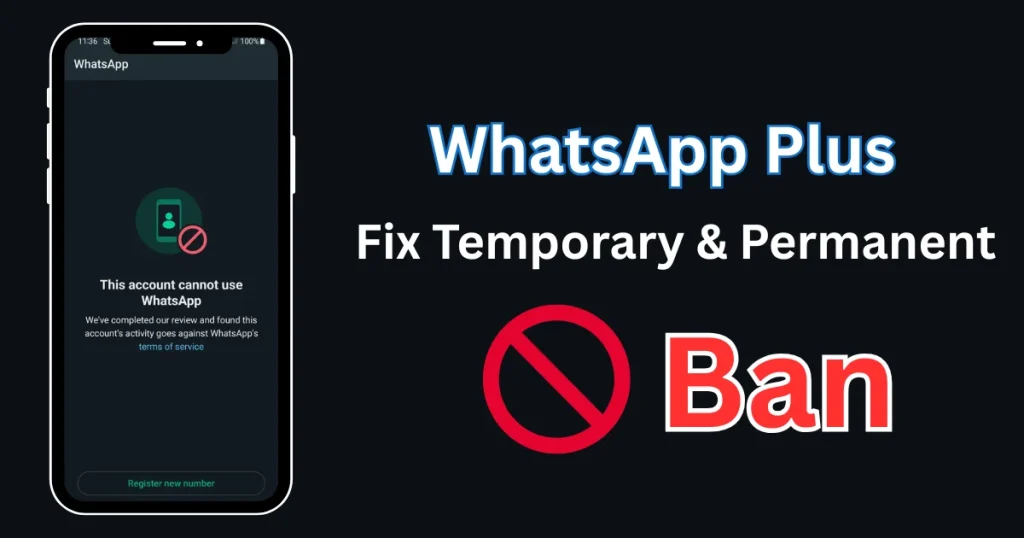
Why Does WhatsApp Ban WhatsApp Plus Users?
WhatsApp Plus is a changed version of the official WhatsApp app. It gives extra features like custom themes, privacy options, and more control, but WhatsApp doesn’t support these third-party apps. The company only accepts the official version and sees modified apps as breaking their rules.
When WhatsApp finds out you’re using WhatsApp Plus, they may ban your account for a short time or forever. This is their way of keeping users safe and keeping their platform in good order.
- WhatsApp Plus Privacy and Security Features Complete Guides
- Is WhatsApp Plus Safe? Risks & Data Privacy Analysis
Understanding Temporary vs Permanent Bans
Temporary Ban: This usually lasts a few hours or days. You’ll see a message saying your account is temporarily banned and when you can use it again. This is a warning from WhatsApp.
Permanent Ban: This is more serious. Your phone number gets completely blocked from using WhatsApp services. You won’t be able to sign up with that number on any version of WhatsApp.
How to Fix a Temporary Ban
If you get a temporary ban, here’s what you should do:
- Wait It Out: The easiest solution is to wait until the ban period ends. Don’t uninstall and reinstall the app over and over, as this might make things worse.
- Switch to Official WhatsApp: During the ban, download the official WhatsApp from the Google Play Store or the Apple App Store. Once your ban is lifted, use the official app instead.
- Backup Your Data: Before switching, make sure to back up your chats. Go to WhatsApp Plus settings, find the backup option, and save your conversations to Google Drive or your phone storage.
- Verify Your Number: When you install official WhatsApp, verify your phone number. Your account should work normally after the ban period ends.
How to Fix a Permanent Ban
A permanent ban is harder, but there are still options:
- Appeal to WhatsApp: Open the official WhatsApp app and you’ll see a message about the ban. There’s usually an option to ask for a review. Tap on “Support” and explain your situation politely. Sometimes WhatsApp may lift the ban after looking at your case.
- Get a New Number: If the appeal doesn’t work, you might need to use a different phone number. This is the most effective solution for permanent bans. Register with a new number on the official WhatsApp app.
- Contact WhatsApp Support: Send an email to WhatsApp support explaining that you didn’t know modified apps were not allowed. Be honest and respectful. While it’s not guaranteed to work, some users have had their bans removed this way.
Tips to Avoid Future Bans
Once you’ve fixed the ban issue, follow these tips to stay safe:
- Use Official WhatsApp: The best way to avoid bans is to stick with the official app. It’s the only version that WhatsApp supports and won’t get you in trouble.
- Download from Trusted Sources: If you still want to try WhatsApp Plus, only download from trusted websites like whtsplus.net. Avoid random websites that might have fake or dangerous versions.
- Update Regularly: If you keep using WhatsApp Plus despite the risks, make sure you’re using the newest version. Older versions are easier for WhatsApp to detect.
- Don’t Mass Message: Sending many messages or adding too many people to groups quickly can trigger WhatsApp’s spam detection, leading to bans even on official apps.
- Use Anti-Ban Versions Carefully: Some modified apps say they are “anti-ban” versions. While they might work for a while, there’s no promise they won’t get caught eventually.
Final Thoughts
Getting banned from WhatsApp can be frustrating, especially if you depend on it for daily talk. While WhatsApp Plus has nice features, the risk of being banned is real. The safest choice is always to use the official WhatsApp application.
If you do get banned, follow the steps above. For temporary bans, waiting is key. For permanent bans, you may need to appeal or switch to a new number. Remember, stopping a problem is better than fixing it, so think carefully about whether the extra features of WhatsApp Plus are worth the risk.
Stay safe and make smart choices about which apps you use for your communication needs.