
When you view a status update in regular WhatsApp, your name gets added to the viewer list right away. The person who posted it can see exactly who watched it and when. For many users, this makes casual viewing uncomfortable because others know you saw their content.
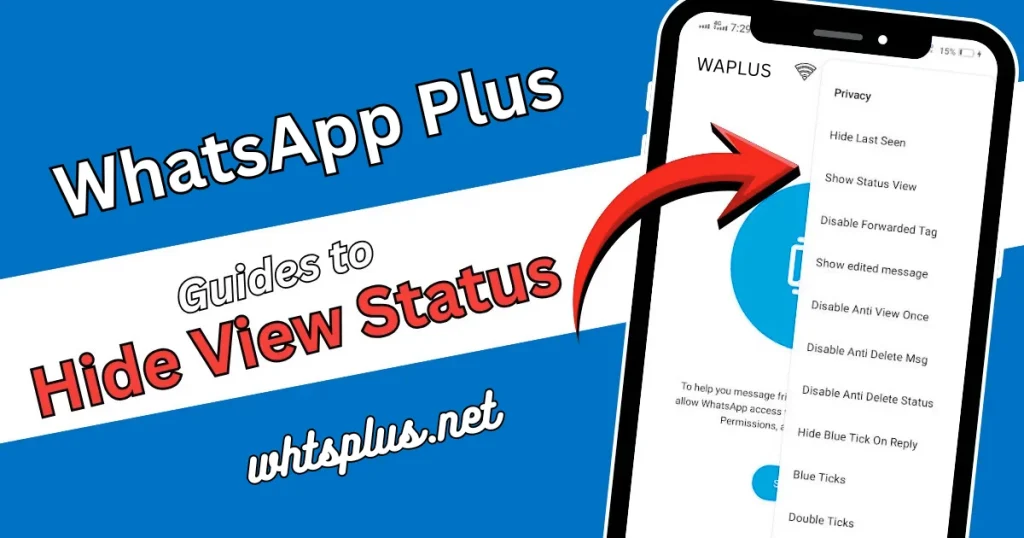
WhatsApp Plus changes this completely. This modified version includes privacy tools that let you view status updates without anyone knowing, giving you control over what information you share. Think of it like private browsing, but for status updates.
Why People Hide Their Status Views
There are good reasons why users want this privacy. Maybe you’re checking on an ex without wanting to start talking again. Perhaps you’re viewing work friends’ personal posts but want to keep things professional. Or you simply want privacy and don’t want every quick look to become public. Whatever your reason, it’s valid, and WhatsApp Plus gives you the tools to do it.
Step-by-Step: Enabling Anonymous Status Viewing
Before You Start
Make a complete backup of your messages. Go to Settings, choose Chats, and tap Chat Backup. This keeps your data safe if something goes wrong. It only takes a minute but could save you lots of trouble later.
Accessing Privacy Controls
Open WhatsApp Plus and find the three dots in the top right corner. Tap them to open the menu, then select “WhatsApp Plus Settings” (this won’t exist in regular WhatsApp, so you’ll know you’re in the right place).
Finding Status Privacy Options
In WhatsApp Plus Settings, you’ll see different sections. Look for “Privacy and Security” or just “Privacy” depending on your version. Tap it to see all the privacy tools that go beyond what normal WhatsApp has.
Look through the options until you find settings about status viewing. Different WhatsApp Plus versions call it different names: “Status View,” “Hide Status View,” “View Status Receipt,” or “Status Privacy.” They all do the same thing.
Configuring Your Status Visibility
When you find the status privacy control, you’ll likely see two related options:
First, there’s the setting to hide when you watch others’ status updates. Turn this on by switching the button to the “on” position. Once you do this, you can look at any status update without your name showing in the viewer list.
Second, some versions include a separate control to hide who viewed your status. This is different from the first setting, so you can control both directions of status privacy separately.
Advanced Configuration Tips
Check if your version has “Ghost Mode” or “Stealth Mode” for status viewing. These are special features in some WhatsApp Plus versions that give you extra invisibility.
Look for settings for specific contacts. Some versions let you hide status views from everyone except certain people you choose, so you get privacy and stay connected.
Applying Your Changes
After you set up what you want, close WhatsApp Plus completely (don’t just minimize it—fully close it from your recent apps). Then open it again. This makes sure your new settings work across all features.
Verification Process
Test your privacy settings before trusting them. Ask a trusted friend or use another account to post a status. Watch it from your main account, then ask the other account if your name shows in the viewer list. If it doesn’t, you’re watching anonymously.
Important Considerations and Trade-offs
The Reciprocal Nature of Status Privacy
Here’s what most users don’t know until after they turn this on: when you hide your status views, you also can’t see who viewed your status updates. WhatsApp Plus does this to keep privacy fair for everyone.
Think about whether you care more about watching others’ status privately or knowing who watches yours. There’s no right answer—just what works best for you.
Performance and Compatibility Notes
Status privacy works well in most WhatsApp Plus versions, but sometimes small problems happen. Some users say that after big updates, they need to set up their status privacy again. Remember this and check your settings once in a while to make sure they’re still on.
Group status updates usually follow the same privacy rules as individual ones, but always test with your version to be sure.
App Safety
The status privacy feature works as it should, but remember that WhatsApp Plus is not the official version. It doesn’t go through the same safety checks as real WhatsApp, and modded apps always have some risk.
Download only from trusted sources, never from random websites or suspicious links. Keep your phone’s security software up to date, and don’t use WhatsApp Plus for very sensitive talks if you can avoid it.
Alternatives and Additional Privacy Features
WhatsApp Plus combines status privacy with lots of other privacy tools. While you’re changing status settings, think about trying:
Options to hide when you were last online, so you have even more control of your online presence. Settings to turn off read receipts for messages, which goes with your status privacy. Controls for hiding when you’re online, so your activity stays invisible. Features to choose who can call you, see your profile picture, or view your about section.
These work together to give you complete privacy control over your digital presence.
Troubleshooting Common Issues
Status Views Still Appearing
If your name still shows in viewer lists after turning on privacy mode, try these fixes: Fully stop the app and restart it, clear the app’s stored data from your phone’s settings, make sure you’re using the newest version of WhatsApp Plus, check that you didn’t accidentally only hide your own status while leaving “watch others’ status” open.
Settings Not Saving
Some users find their privacy settings go back to normal. This usually happens after updates. The answer is to set up your choices again after each WhatsApp Plus update and keep pictures of your settings as a backup.
App Crashes or Problems
If WhatsApp Plus becomes unstable after changing status privacy settings, uninstall and reinstall the app (your backed-up messages will come back), download a different version from a trusted source if problems continue, or turn off status privacy for a while to see if that’s the cause.
Making the Most of Your Privacy
Now that you can watch status updates privately, use this tool responsibly. Privacy tools are meant to give you control over your information, not to allow bad behavior like watching someone without permission or harassment.
Balance your wish for privacy with keeping good relationships. Sometimes showing up in someone’s viewer list is part of normal interaction, and always hiding might make things awkward.
Remember that no privacy feature is perfect. Screenshots exist, people talk, and information spreads. Use WhatsApp Plus’s tools as one part of a bigger approach to digital privacy.
Final Thoughts
Hiding view status in WhatsApp Plus gives you control over how you see content and interact with others’ updates. The steps are simple and take just a few minutes to set up, but the privacy benefits last as long as you use the app.
Keep up with updates to WhatsApp Plus, because new versions sometimes have better privacy controls or change how things work. Join user groups and forums where people share tips and help solve problems together.